Antigravity Usage
Token and status tracking bar for Google Antigravity in VS Code and Cursor.
Source: github.com/aungsh/antigravity-usageView on GitHub
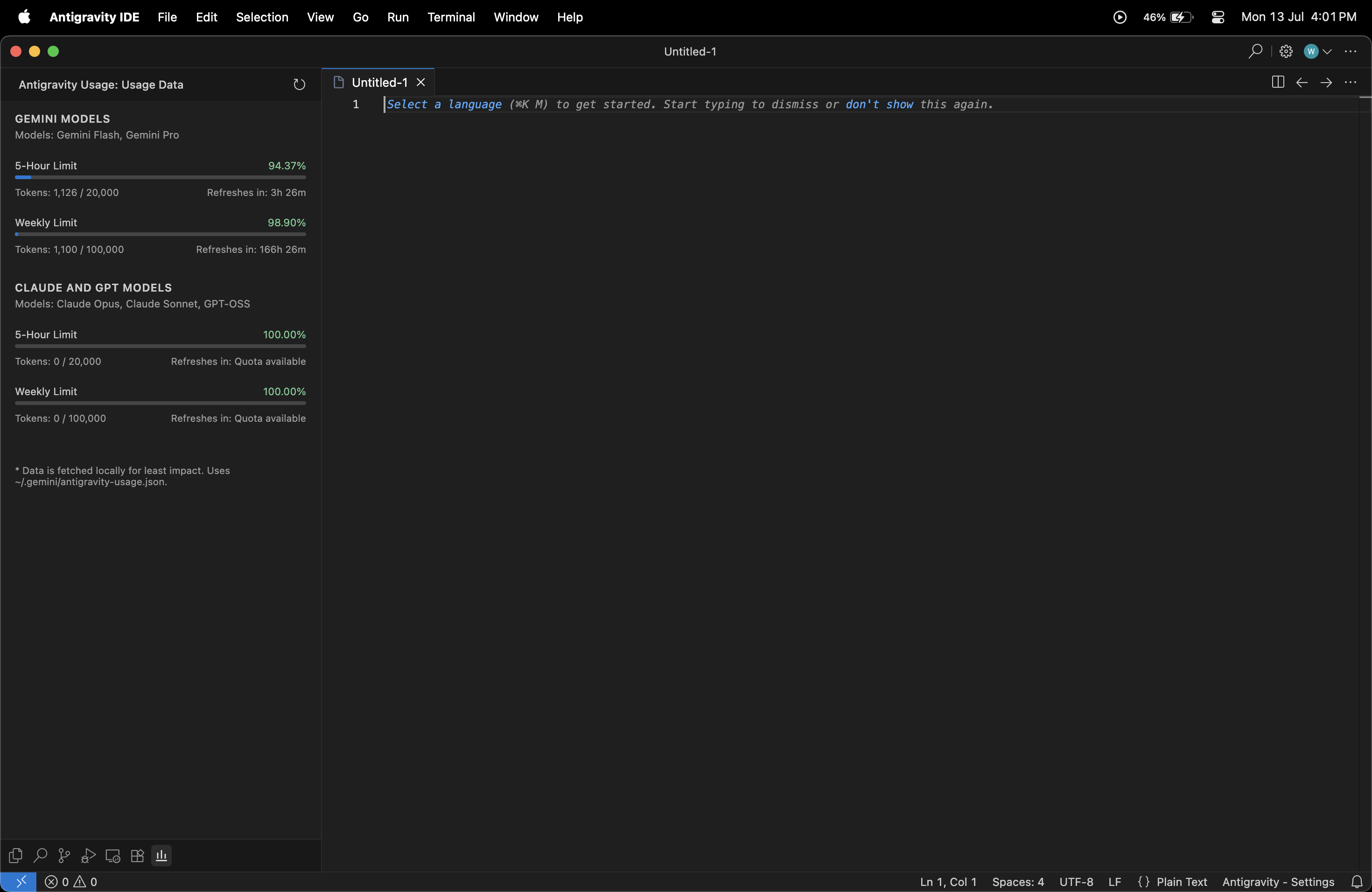
A minimalistic, clean, and native VS Code extension to show your Antigravity token quotas directly in the Activity Bar.

Features
- Clean, native layout blending seamlessly with your VS Code theme.
- View real-time quotas for different model groups (e.g., Gemini Models, Claude, GPT).
- Visual progress bars for 5-hour and Weekly limits.
- Exact countdowns for limit resets.
How to get started
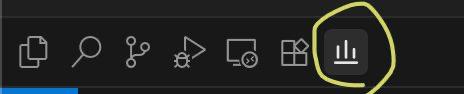
Just install the extension, open the "Antigravity Usage" panel in your Activity Bar, and the limits are loaded automatically based on your current workspace configuration.
Installation
You can install the extension using one of the following methods.
Option 1: Install from a Marketplace (Recommended)
Install directly from either marketplace:
-
Visual Studio Marketplace
https://marketplace.visualstudio.com/items?itemName=aungsh2003.antigravity-token-usage -
Open VSX Registry
https://open-vsx.org/extension/aungsh/antigravity-token-usage
Option 2: Install from the VSIX File
- Download the
.vsixfile from the Assets section below. - Open Visual Studio Code or Antigravity.
- Go to the Extensions view (
Ctrl+Shift+X/Cmd+Shift+X). - Click the ⋯ (More Actions) menu in the top-right.
- Select Install from VSIX...
- Choose the downloaded
.vsixfile.
The extension will be installed and ready to use.